# DIY Curtain Wall
# Curtain Wall Workshop

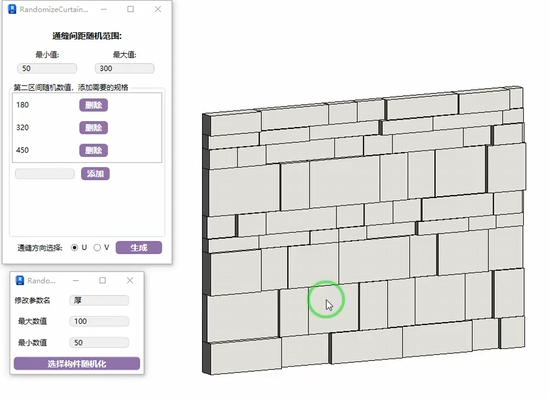
Randomize curtain wall grids, especially useful for feature wall creation. It's recommended not to set specifications too small to avoid response delays.
- Parameter Explanation
The curtain wall type used must have no default grid division.

- Max/Min values control spacing randomization in the continuous joint direction.
- The second interval randomly adds width specifications. Taking bricks as an example: if you have 800, 600, 300 width bricks, they are randomly horizontally cut according to the max/min values from the first point, then randomly arranged.
- Continuous Joint Selection: Based on curtain wall grid generation direction — U is horizontal, V is vertical.
Example result below:
Bilibili video demo → Random Grid (opens new window)
# Cabinet Door
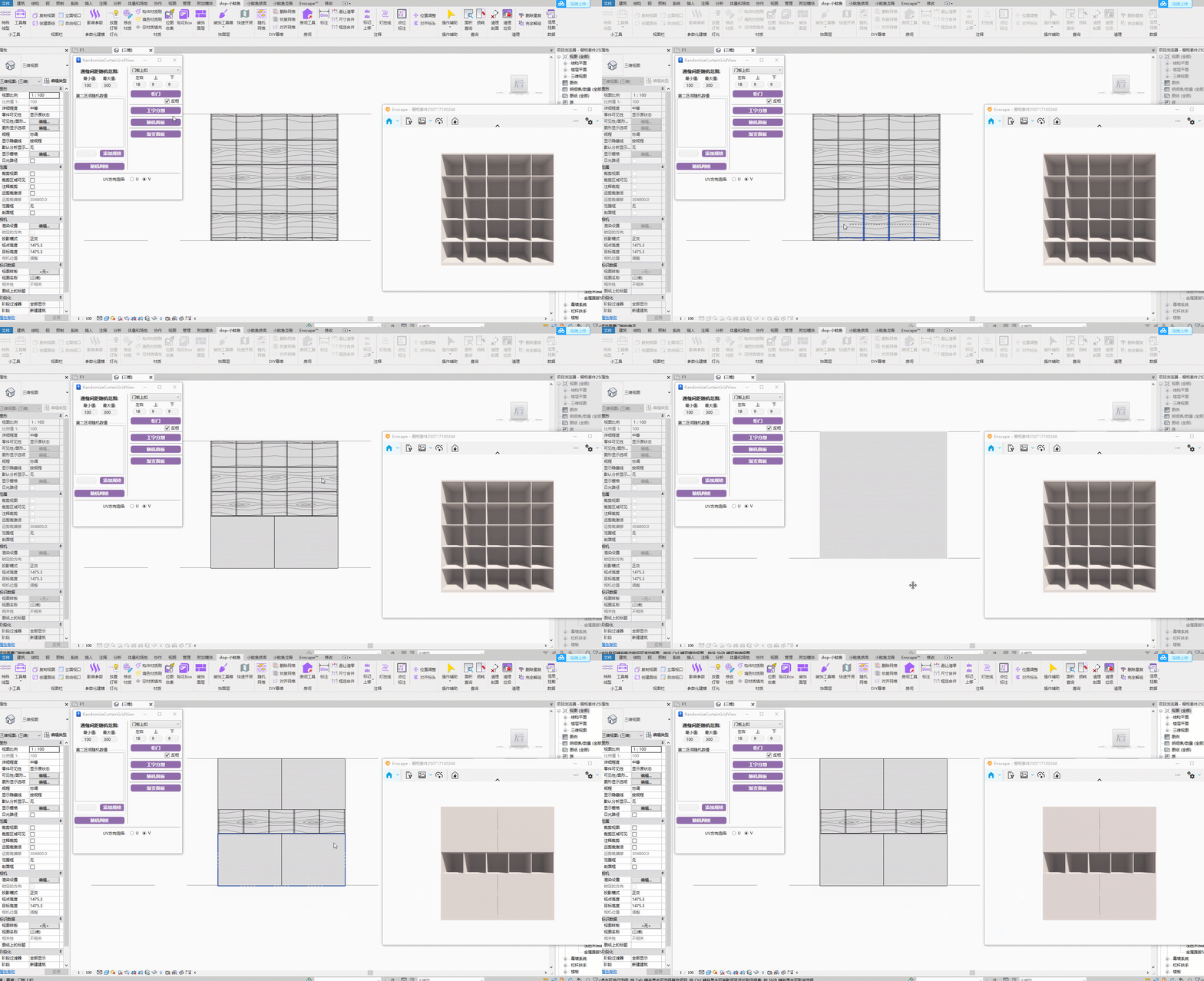
Check front/back according to your curtain wall cabinet orientation. Generated door panels will appear on the corresponding curtain wall face. The door panel is also a curtain wall type — select it in the options box. Edge margins can be customized as needed.
# Staggered Division

Staggered division for curtain wall series.
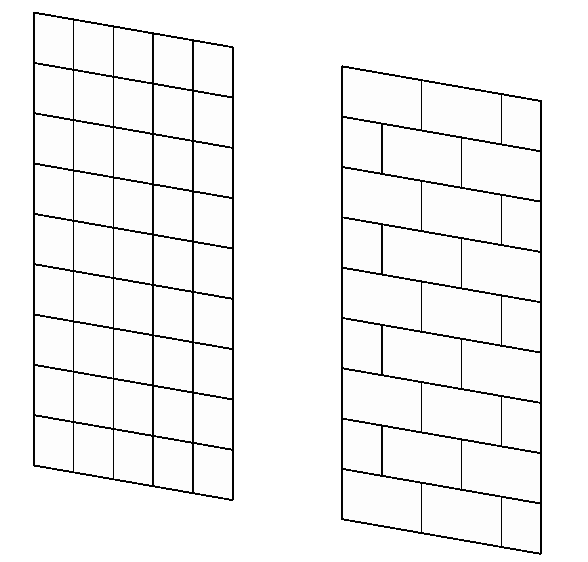
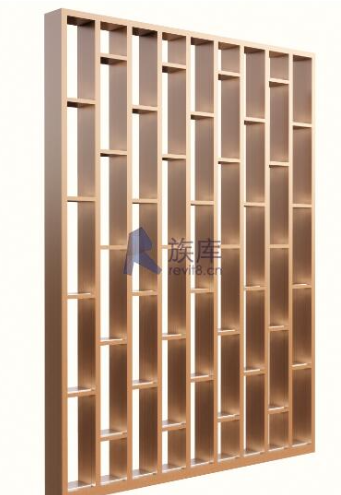
Applicable to curtain wall and sloped glazing types. The staggered division direction can be switched with a second click.
When processing staggered division dimensions, it deletes grid lines at intervals. For example, for 300×600 brick staggered paving, the grid setup needs to be 300×300.
Bilibili video demo → Staggered Division (opens new window)
# Random Panel

- Random Panel
Randomize the panel types on a curtain wall.
- Steps
Create a curtain wall using one of the needed types first. Then replace the needed random panel types onto the current curtain wall. Click the function then click the curtain wall to generate randomized panels. Click multiple times for different effects.
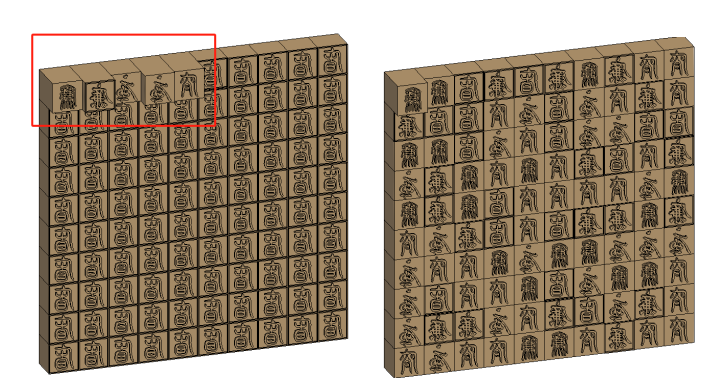
Bilibili video demo → Random Panel (opens new window)
# Gradient Panel
Ensure only two panel styles are on the panel as gradient elements. Continuous clicks toggle the two elements. UV selection switches the gradient direction.
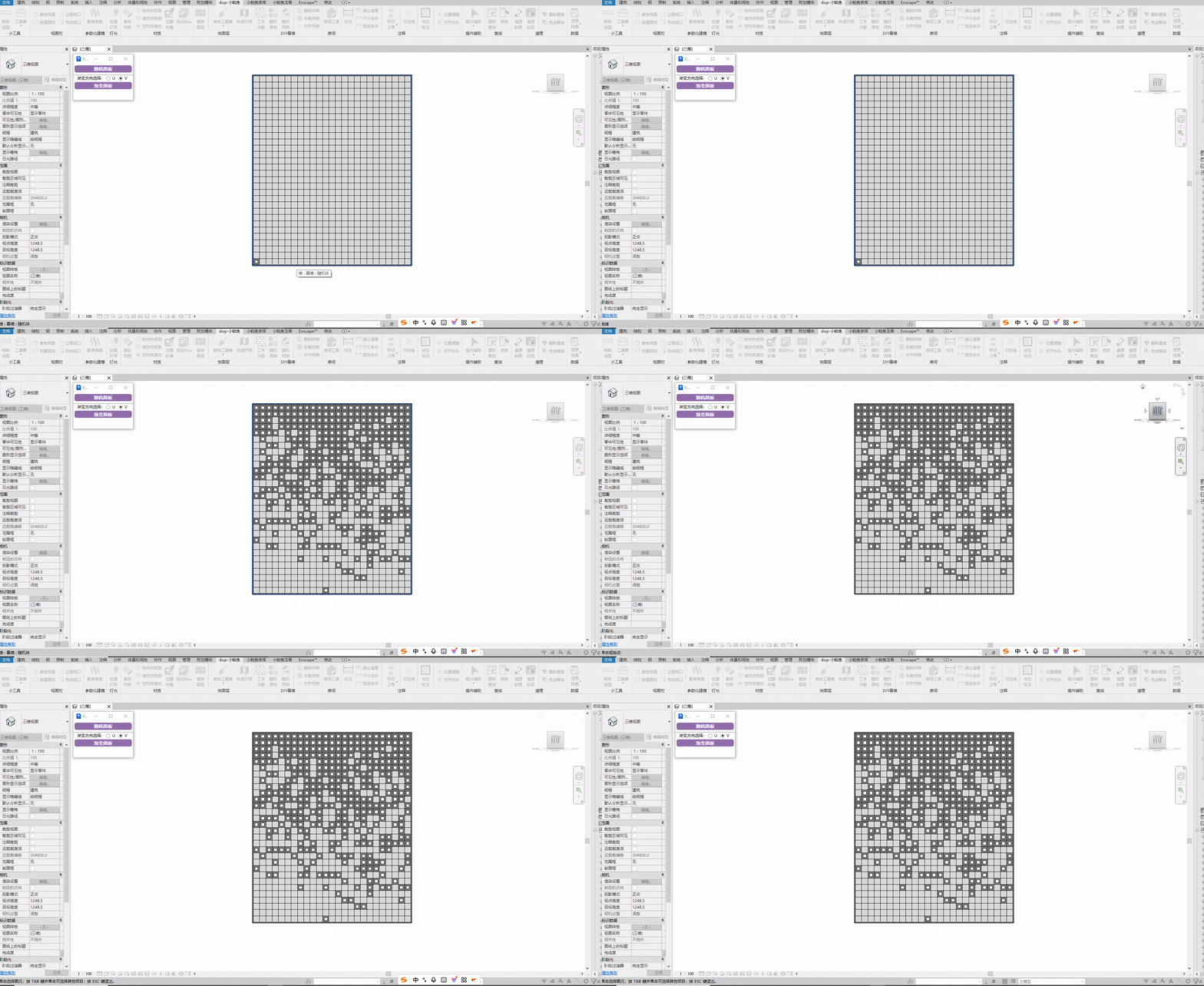
Steps: Click the curtain wall type multiple times to toggle the two elements.
# Sloped Glazing Alignment
Align grids to a specified edge when the floor tile paving created with sloped glazing is not horizontal.
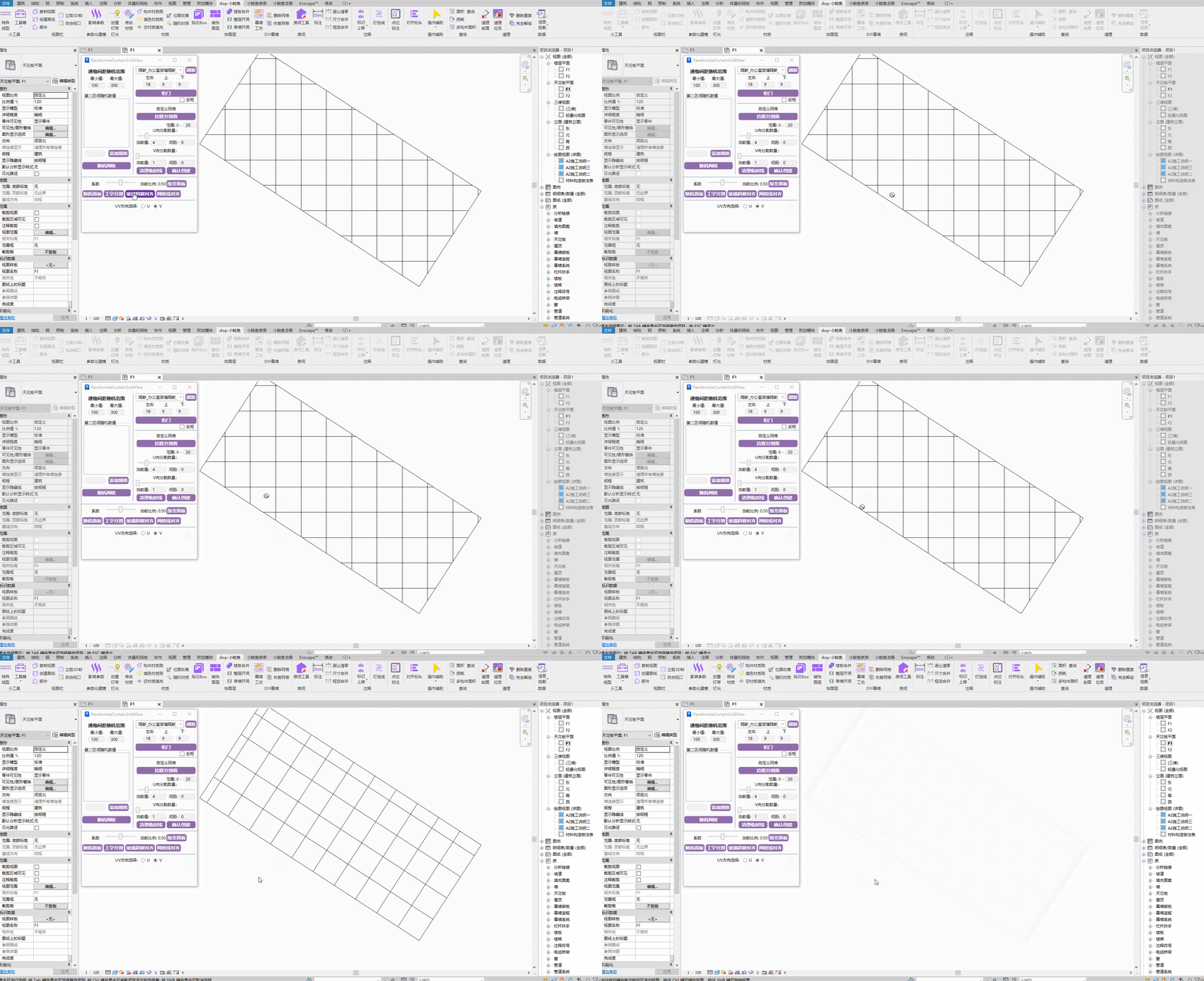
Steps: Select a grid line to align → Select the sloped edge of a panel on the current sloped glazing.
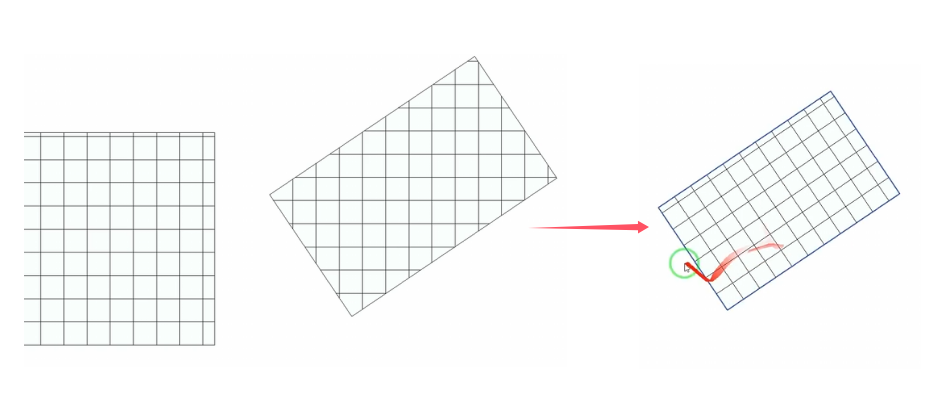
During operation, first select the grid line to align, then click the model boundary to align to.
Bilibili video demo → Sloped Glazing Alignment (opens new window)
# Grid Line Alignment
First step: Select the reference line to align to. Second step: Select nearby parallel grid lines.

Bilibili video demo → Curtain Wall Alignment (opens new window)
# Panel Info
First, add three project parameters with corresponding parameter names to the project, assigned to the panel category. Width and height are length type; number is text type.
# Panel Numbering
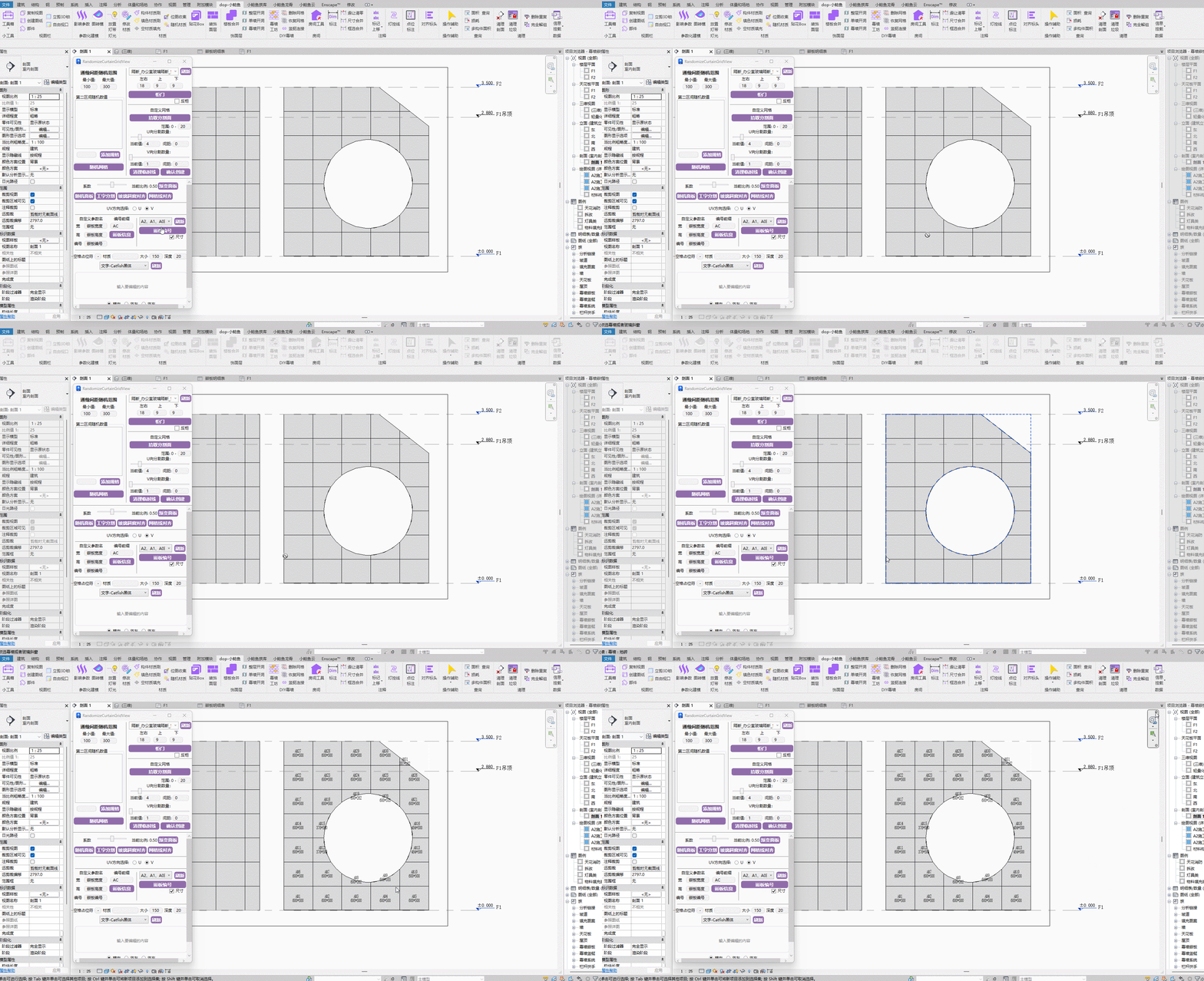
Bilibili video demo → Panel Info, Panel Numbering (opens new window)
# Curtain Wall Text
Generate batch 3D text content based on curtain wall panels.
Text specifications — material, size, depth — are controlled from the software interface. Only when you need to change the font, copy the previously generated text panel and modify the font.
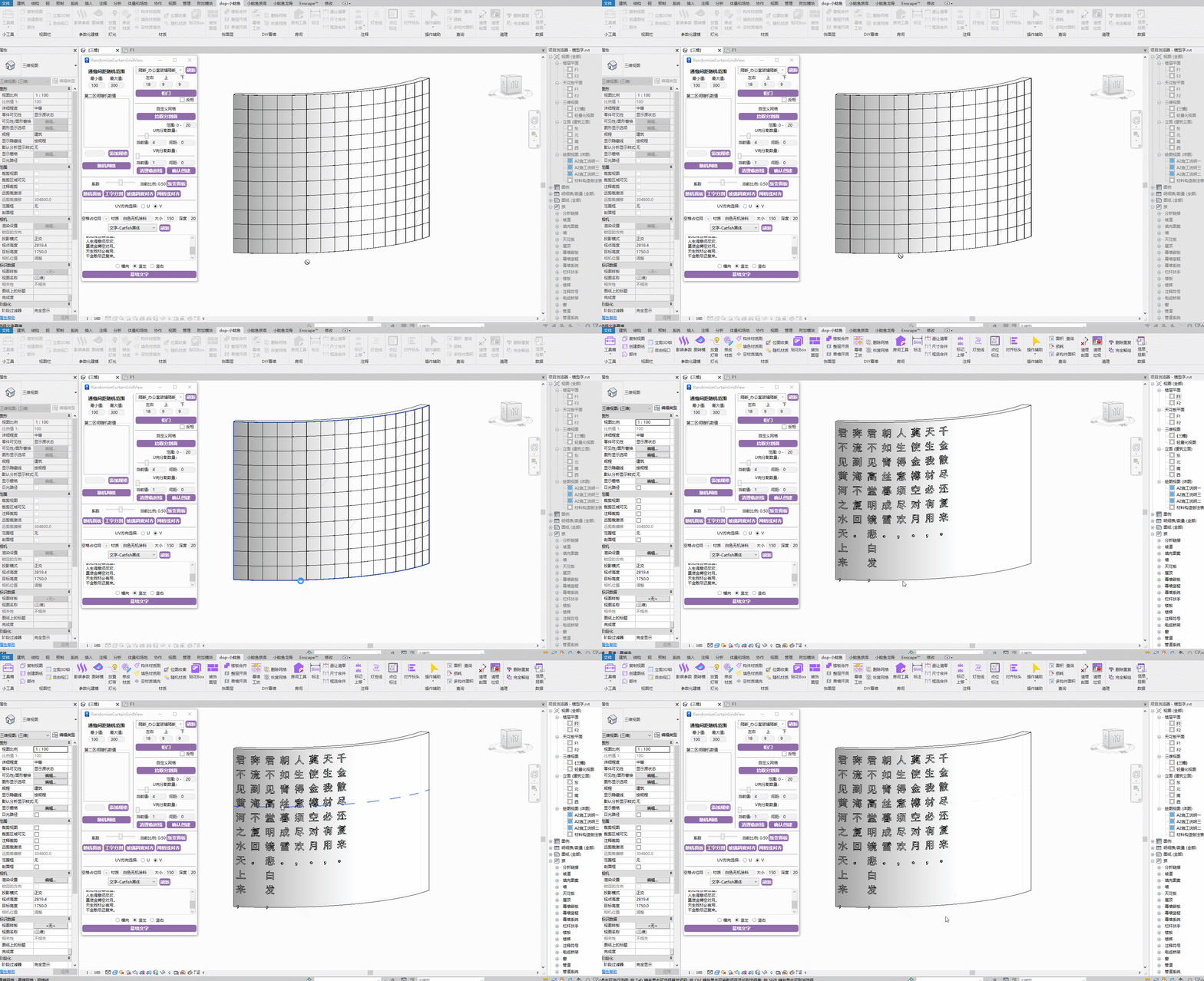
Bilibili video demo → Curtain Wall Text (opens new window)
# Custom Grid
Quickly divide custom grids for curtain wall components without UV restriction rules, avoiding overly rigid default rules.

Bilibili video demo → Custom Grid (opens new window)
# Delete Grid

Quickly delete unwanted grid lines by marquee selection.
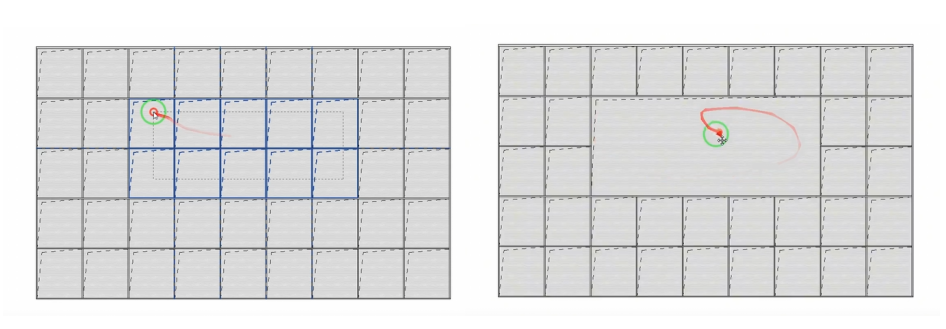
Use case: Quickly delete grids to create DIY cabinet divisions.
# Restore Grid

Marquee-select grid lines to quickly restore grid divisions.
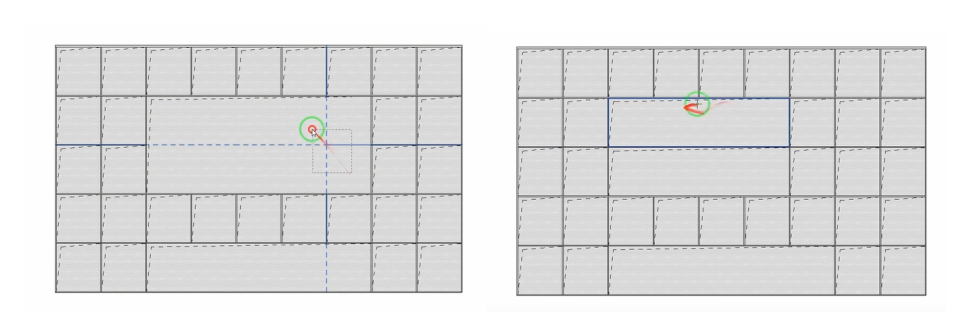
Click the panel where grid lines need to be restored, then marquee-select the grid lines to restore. Blue lines indicate grids about to be restored.
Bilibili video demo → Delete Grid, Restore Grid (opens new window)
# Mullion Join
Marquee-select mullions in the same direction to join them.
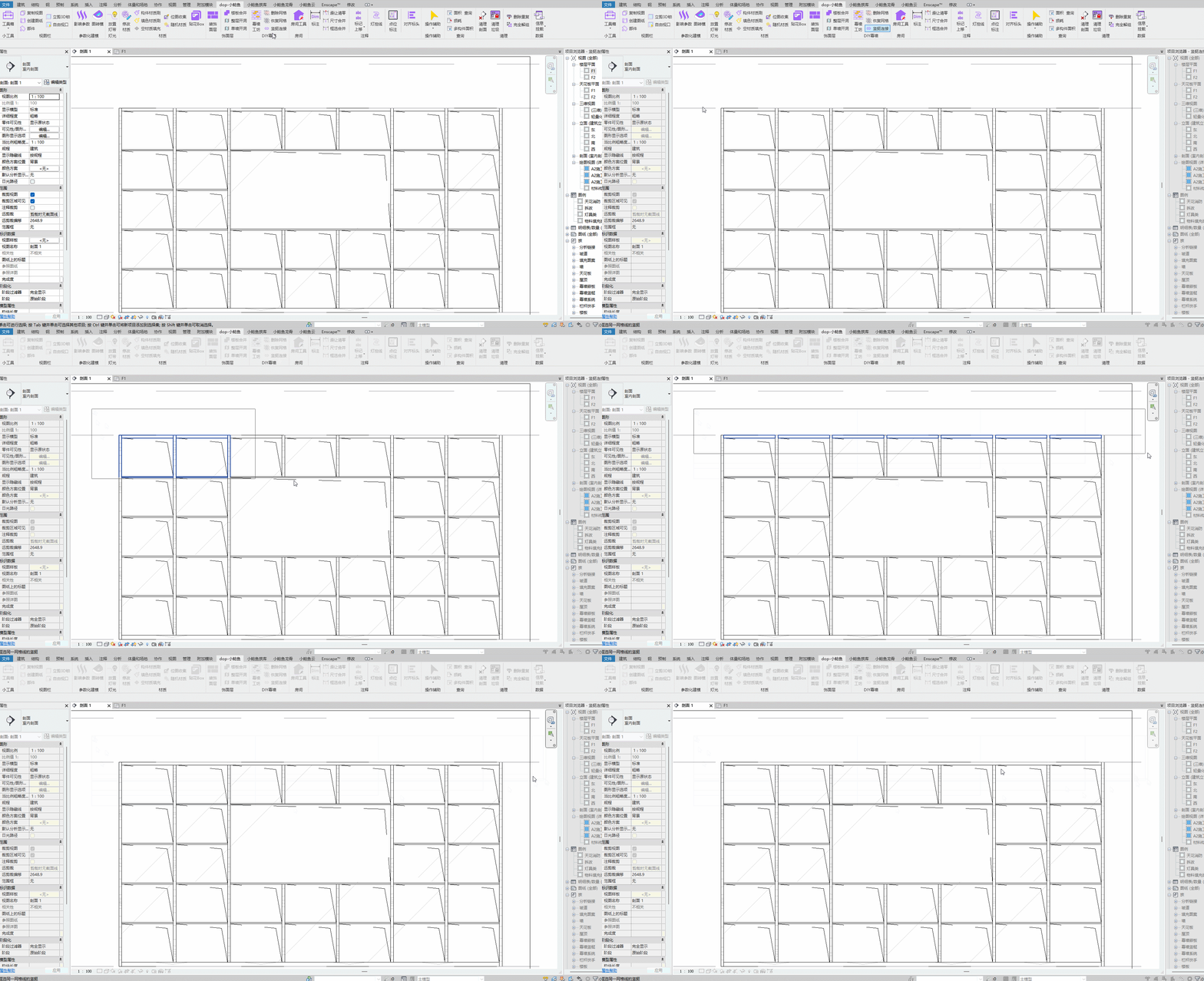
Bilibili video demo → Mullion Join (opens new window)
← Finish Layer Room →